Shelly spot price control with Energiaohjain
This guide shows how to connect a Shelly relay to Energiaohjain and install the app-generated script in Shelly Scripts. The script lets Shelly follow electricity spot prices without maintaining your own code.
Updated July 9, 2026 · Energiaohjain · Shelly spot price control
Before you start
Your Shelly device should already be installed, connected to the network, and updated to a recent firmware version. You need access to the Shelly web interface, a Energiaohjain account, and a load that is suitable for relay control.
Fixed electrical work must be handled by a qualified electrician. Price-based automation does not replace thermostats, circuit protection, safety limits, or the device manufacturer's own safeguards.
Open the app
Add Shelly in Energiaohjain first. The app creates a device-specific script for you.
login LoginStep 1: add Shelly to Energiaohjain
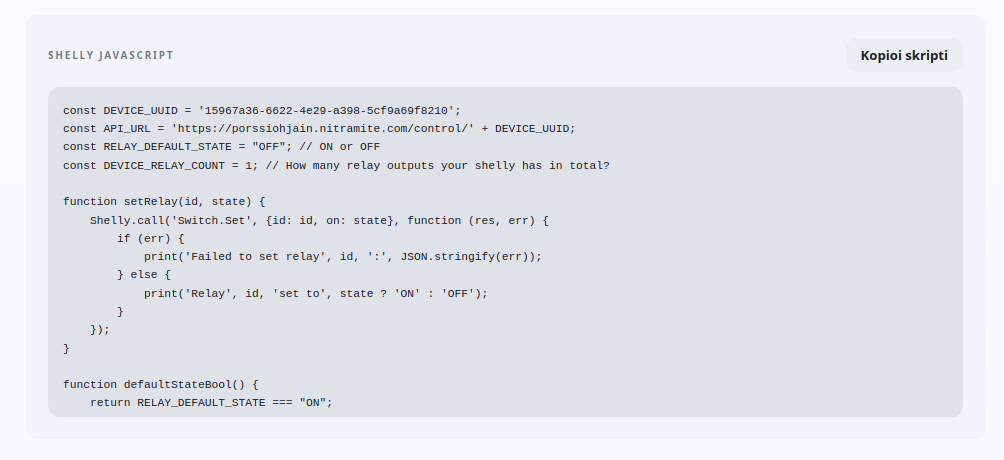
Open https://mobile.porssiohjain.fi, sign in, and add a new Shelly device. After the setup flow, the app shows the Shelly JavaScript content you need to copy.
After signing in, open the Devices menu.
Select Add new device.
Choose Shelly Pro Relays as the device type.
Follow the setup flow until the final page.
Copy the complete Shelly JavaScript field content.
Step 2: install the script in Shelly
Open the Shelly web interface or Shelly app.
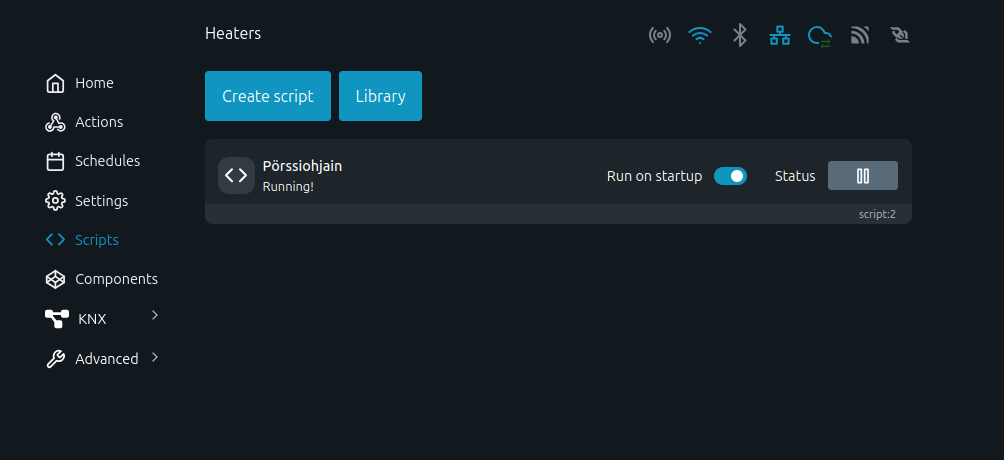
Find and open the Scripts view.
Select Create script.
Enter a script name, for example Porssiohjain.
Paste the copied Shelly JavaScript into the script editor.
Press Save and enable Run on startup.
Start the script manually once if the Shelly interface requires it.
Check the status
Once the script starts, Shelly begins listening for the control logic configured in Energiaohjain.
Restarts automatically
Run on startup helps the control recover after a power outage or device reboot.
Controls by price
Configure cheap hours, price limits, priorities, and other rules based on the load you are controlling.
Related guides
Start Shelly spot price control
Add Shelly to Energiaohjain, copy the generated script, and start price-based control from Shelly Scripts.